




















Apple MacBook Pros 13"
We have found 373 Apple MacBook Pros 13" that are pre-owned from 1 different sites. Find compact power for work, study, or creative apps by comparing price, condition, specs, and delivery across many sellers. Read more
373 Deals

Quick overview
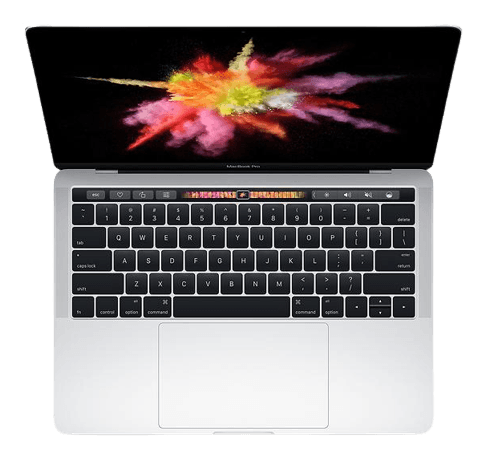
The MacBook Pro 13" is Apple’s compact professional laptop. You will find both older Intel models and Apple Silicon versions among pre-owned options. Choosing a second-hand MacBook Pro 13" is a smart way to get strong performance and a premium build at a lower price than the original retail cost.
What makes the MacBook Pro 13" stand out?
- Apple Silicon performance (M1, 2020) — The M1 chip, introduced in 2020, brought fast CPU and graphics performance and excellent battery life. It suits everyday productivity and many creative tasks.
- Retina display — Sharp 13.3-inch Retina screens give clear text and bright colours, useful for photo editing and long reading sessions.
- Compact and light — Around 1.4 kg (3.1 lb), the 13-inch size is easy to carry for students and commuters.
- Solid-state storage (SSD) — Fast boot times and app launches. SSD sizes typically range from 256 GB to 2 TB on later models.
- Good battery life — Especially on M1 models, real-world battery can be 15–20 hours for light tasks.
Models in the same family
You can also consider other Apple laptops in the same range. Popular related models include Apple MacBook Air 13" M2, Apple MacBook Air 13" M1, Apple MacBook Pro 14" M3, and Apple MacBook Pro 14" M4.
| Model | Typical CPU | Best for | Battery (typical) | Portability |
|---|---|---|---|---|
| MacBook Pro 13" (M1) | Apple M1 | Everyday to pro apps, long battery life | 15–20 hours | Very portable |
| MacBook Air 13" (M2) | Apple M2 | Light creative work, students | 15–18 hours | Very portable, lighter |
| MacBook Pro 14" (M3 / M4) | M3 / M4 chips | Pro workflows, heavier multitasking | 10–18 hours | Less portable, more power |
Find the right MacBook Pro 13" for you. 🔍
Decide by how you use the laptop. Are you mainly browsing, streaming and writing? Or do you run video apps and virtual machines? Use these quick pointers when you compare pre-owned options.
Things to consider
- Processor — For most users the M1 is faster and more efficient than older Intel 13" Pros. If you need specific Intel compatibility, pick an Intel model.
- RAM — Aim for at least 8 GB for everyday use. Choose 16 GB for heavy multitasking, video editing, or development work.
- Storage — 256 GB can be limiting. Consider 512 GB or more if you keep large files locally.
- Battery health — Battery cycles affect run-time. Sellers list battery condition on their sites; use that information while you explore listings.
- Ports — Newer models rely on Thunderbolt/USB-C. Check adapter needs for older USB-A accessories.
- Warranty and return policy — Look for refurbished units with a warranty from the seller or refurbisher.
How to filter and compare pre-owned options
Use filters for price, condition grade, brand, RAM, storage and processor to narrow results. Sort by price or newest listings to find better value or specific years. There are currently available pre-owned products priced between 1 and 1.
Quick checklist before you click through
- Confirm model year and chip (M1 or Intel).
- Check RAM and SSD size meet your needs.
- Review battery condition and any included warranty.
- Compare original retail price to the second-hand price.
- Use seller ratings and product photos on the selling site for extra context.
Is a used MacBook Pro 13" worth buying?
Yes. A pre-owned MacBook Pro 13" can offer strong performance and build quality at a lower price. Choose models with newer chips and adequate RAM for the best value.
How does the M1 compare to older Intel 13" models?
The M1 usually beats Intel models in speed per watt, graphics, and battery life. For most users the M1 is the better long-term buy, unless you need specific Intel-only software.
Can I upgrade RAM or storage later?
Most modern MacBook Pro 13" models have soldered RAM and internal SSDs, so upgrades are not possible. Choose the right configuration when buying.
What warranty should I look for on a refurbished unit?
A minimum 30-day return policy and a seller or refurbisher warranty (90 days or more) give extra peace of mind. Exact terms appear on the selling site.
Want to compare more laptop types? Explore our laptops category for a wider selection of pre-owned devices.
Find and buy Apple MacBook Pros 13" via Relovie – the largest collection of pre-owned and refurbished electronics online.