


















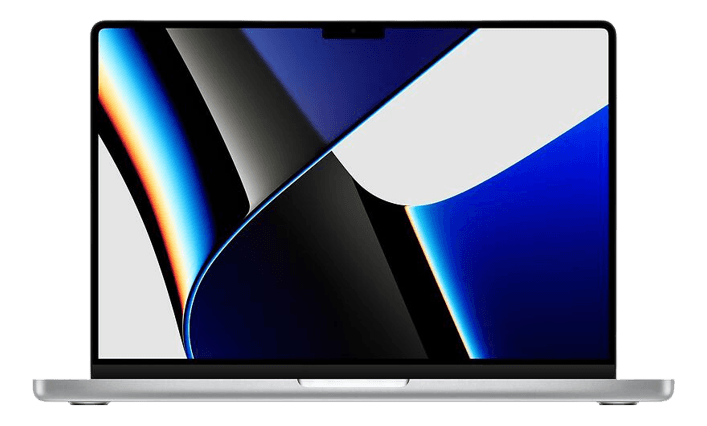
Apple MacBook Pro 16" M1 Pros
We have found 48 Apple MacBook Pro 16" M1 Pros, pre-owned from 1 different sites. Compare prices, condition, RAM, storage and processor options across online stores and marketplaces to find the right pre-owned MacBook Pro 16 inch for work, creation or everyday use. Read more
48 Deals

Overview
The Apple MacBook Pro 16" M1 Pro is a high-performance 16-inch laptop introduced in 2021. It pairs Apple’s M1 Pro system on a chip with a large Liquid Retina XDR display and a wider port selection than previous Pro models. Buying pre-owned can save hundreds compared with the original retail price while giving access to powerful hardware suited to professionals and power users.
Why choose a pre-owned MacBook Pro 16" M1 Pro? 🔁
- Better value: you often get higher specs for less money than buying new.
- Faster upgrade cycle: buy a well-equipped model and postpone replacing it for years.
- Lower environmental impact: choosing pre-owned reduces electronic waste.
Key features and what they do 🔋
The M1 Pro 16" stands out for a balance of performance, battery life and usability. Key features include:
- M1 Pro chip: Delivers multi-core CPU performance for video editing, coding, and multitasking. It handles demanding apps more efficiently than earlier Intel models.
- 16-inch Liquid Retina XDR display: High brightness and contrast make colour grading, photo work and watching video more accurate and immersive.
- Ample ports: Includes HDMI, SD card reader and MagSafe charging, reducing the need for dongles.
- Memory and storage options: Configurable memory (up to 32 GB with M1 Pro) and fast SSD options make large projects and multitasking smoother.
- All-day battery life: Efficient chip design gives long battery life for remote work and travel.
Which models belong to the same series?
The MacBook Pro family around this model includes smaller and newer versions. Compare these options:
- Apple MacBook Pro 16" — the general 16-inch line for reference.
- Apple MacBook Pro 16" M4 Pro — newer chip generation, aimed at users who want the latest performance.
- Apple MacBook Pro 14" M4 — smaller screen with similar chip options for more portable workflows.
- Apple MacBook Pro 14" M5 — even newer 14-inch model for users prioritising portability and the latest silicon.
- Apple MacBook Air 13" M4 — lighter and more affordable for everyday tasks and students.
| Model | Screen | Best for | Typical appeal |
|---|---|---|---|
| MacBook Pro 16" M1 Pro | 16-inch Liquid Retina XDR | Video editing, music production, heavy multitasking | Power users who want a large display and strong sustained performance |
| MacBook Pro 14" (M4 / M5) | 14-inch high-quality display | Travelling creatives, similar performance in a smaller body | Users wanting portability without a major performance trade-off |
| MacBook Air 13" M4 | 13-inch Retina | Everyday use, students, office work | Lightweight and lower price, less thermal headroom for heavy sustained loads |
Compare the series at a glance 📊
Choose the 16-inch M1 Pro if you need a large display and higher sustained performance. Pick the 14-inch Pro for similar chip performance in a smaller chassis. Choose a MacBook Air if portability and budget are the priority.
Price range and how to compare
There are currently available pre-owned products priced between 1 and 1. Use filters to narrow results by Pris, Skickgradering, Varumärke, RAM-minne, Lagringsutrymme and Processor to find the best match for budget and needs.
Things to consider before you buy ⚠️
- Processor and performance: choose M1 Pro if you run pro apps. Consider M1 Max only if you need extra GPU or memory bandwidth.
- RAM and storage: 16 GB RAM is a solid baseline; 32 GB helps for large projects. SSD size affects how many files you can keep locally.
- Condition grading: use Relovie’s condition filters to match your risk comfort and budget.
- Ports and accessories: look for models with the ports you need to avoid adapters.
- Battery health: sellers list battery cycle info on the selling site; factor battery condition into price comparisons.
Checklist for a smart purchase 💡
- Decide minimum RAM and SSD you need for your work.
- Set a maximum price and use the price filter to find options.
- Compare identical specs across sites to spot the best deal.
- Confirm included accessories and shipping terms on the seller’s site.
FAQ — common questions ❓
How long does the MacBook Pro 16" M1 Pro usually last on a single charge?
Battery life varies with use. Expect all-day productivity for web browsing and office apps, and fewer hours for sustained heavy workloads like video rendering.
Is a refurbished or used MacBook Pro 16" M1 Pro reliable?
Many refurbished units come inspected, tested and backed by a seller warranty. Use Relovie to compare condition and seller terms before clicking through to buy.
Which storage and RAM should I choose?
For photo and light video editing choose 512 GB to 1 TB. For heavy video work or large libraries, consider 2 TB or more and 32 GB RAM where possible.
Can this MacBook run professional apps like Final Cut Pro or Adobe Premiere?
Yes. The M1 Pro delivers excellent performance in pro apps. For the fastest GPU rendering and very large timelines, check for M1 Max or later variants.
Next steps
While you explore pre-owned options, use Relovie filters to compare specs, condition and price quickly. Click through to the seller’s site to see full listings, photos and purchase terms.
Find and buy Apple MacBook Pro 16" M1 Pros via Relovie – the largest collection of pre-owned and refurbished electronics online.
Explore more laptops: Laptops